

IGTV landed on Instagram in June 2018 and it is still a territory to be explored. But one thing is certain: the combination of videos and stories attracts and engages people. It has always been this way.
Our mind works through images and stories have the power to arouse them and imprint them in the memory. Visual communication is powerful, we are not discovering it today. This is why the launch of IGTV on Instagram represents an opportunity to increase followers, increase brand awareness and give momentum to your business.
Videos are the present and future of communication on the web. And social media, like Instagram, are the means through which you can share them and reach your audience.
So, what is IGTV and how does it work? What strategies can you implement right away?
What is IGTV and how does it work?
IGTV lets you upload vertical videos to Instagram, even long ones. You can do it both in the native Instagram app and in the new separate IGTV app.
Was there a need for a YouTube clone? No, you’re right, there was no need. But Instagram combines the peculiarities of a social network, with over a billion active people, with the effectiveness of videos: its rapid rise could soon be felt at YouTube.
IGTV is Instagram’s way of breaking the traditional television experience and updating it to the needs that people express. And it does so with a completely social-mobile format. IGTV lets you publish vertical videos, after all, it was born as a platform for mobile devices, which has already educated its users to this type of video, with the introduction of Instagram stories.
Nowadays, millennials prefer videos on social media or streaming platforms to traditional television. You absolutely must consider this: they are your future and potential customers. Estimates speak of mobile data traffic that will be represented by videos for 78% within the next 2 years.
On IGTV, every channel is a user. Anyone can create their own channel and share long-lasting videos. At the moment, you can indulge in videos ranging from 10 minutes to 60 minutes, for accounts with a significant number of followers. But Instagram has announced that there will soon be no time limits. You can really imagine any video solution to entertain the people who decide to follow you.
It is desirable to think that it will soon be possible to add advertisements on the videos you publish. The predisposition for online sales, which Instagram has already demonstrated with the new functions for e-commerce, speaks clearly. They will do everything possible to allow you to implement marketing strategies aimed at selling your products or services.
If you have an e-commerce, this article will help you use Instagram to sell your products: how to increase sales with Instagram for e-commerce.
How to Create Your IGTV Channel and Upload Videos to Instagram
Anyone can watch IGTV videos in both the Instagram app and the standalone IGTV app, and every time you post a video, your followers will receive a notification on Instagram. So, it’s like saying: hey, there’s something new for you.
There’s no reason not to try making videos and sharing them. However, before you can post them, you’ll need to create your channel: are you ready?
#1 Download the IGTV app
To download the IGTV app, go to your favorite app store. After installing, open the app and click on the gear icon, the one reserved for settings, located in the right corner. Now, select the “Create Channel” option. Done. Simple. Instant.
#2 Start uploading your videos
Select your avatar on the main page of the IGTV app and tap the “+” icon in the right corner. Select the vertical video you want to upload from your smartphone.
#3 Add a title and description to your video
Carefully curate your title and description. Use keywords that are relevant to the content, and craft catchy and intuitive descriptions. Make it easy for people to find your videos and understand what they are about.
This article on creating captions for Instagram will be useful: 5 tips to attract followers.
#4 Add a cover
The cover is the image that people will see on your channel page and in IGTV categories. You can customize your video cover by selecting a frame from the video or adding a custom image. The important thing is that it piques the interest of those who see it. Hey, it’s always the same question: you want to make sure that people are encouraged to click, so make your video cover eye-catching.
But you’re not done yet. In fact, publishing a video is just the beginning. Remember that to build relationships with people you will have to seem like a constant presence, so check the progress of your video with IGTV analytics. Click on the button with the “…” icon to be able to see:
- likes received;
- comments;
- shares.
Now you’re ready to post a video to your IGTV channel and start your Instagram TV experience.
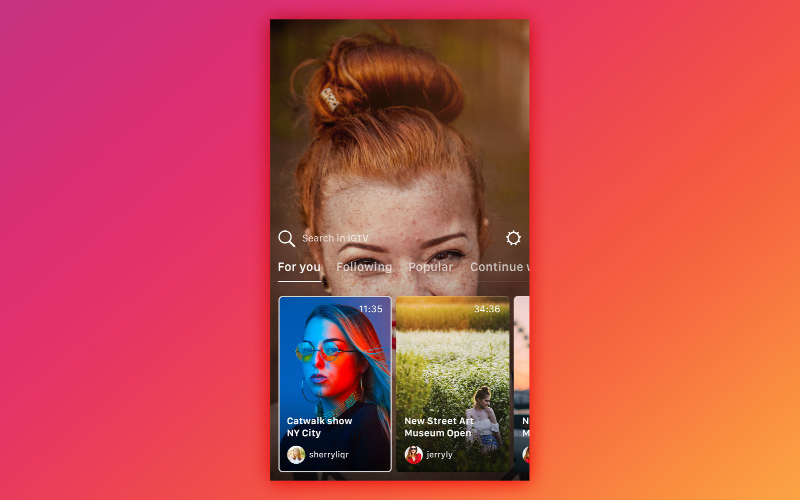
How to Use IGTV: Instagram TV to Promote Your Business
Like any social media activity, you need to think strategically about everything you do. You can start using IGTV to optimize your Instagram marketing results, but to do so you always have to start from the basics, otherwise no strategy will give you the results you expect.
Maybe, IGTV might not be the solution for you, who knows. It is certainly worth trying. The important thing is not to forget how essential it is to share quality content, which is consistent with your profile and can help you create engagement and interaction.
If you want to understand what to do to find your target audience on Instagram, this article is perfect for you: Instagram Followers – how to find your target audience.
Maybe you are already sweating coldly, because IGTV seems very interesting to you but, at the same time, it is something else you have to take care of. The torment is: what do I publish here?
7 Tips to Promote Your Business with IGTV
You don’t have to invent anything if you don’t want to or can’t. However, if you want to start using IGTV, I invite you to focus on these 7 tips to promote your business on Instagram:
#1 Always provide value
You can share insights, tips, and pearls of wisdom to give your IGTV channel a personal touch. Or, how about showing me how your product can be useful in everyday life? How-to videos are timeless and always work. “How to” videos infest the internet, simply because they are popular and useful.
#2 Create awareness
Tell us who you are and what you do, introduce your company and explain how you can be helpful.
#3 Show what you do
This is an option that can help you build empathy with your followers. Why not show what you do, while you do it? It could also be fun and effective to tell the behind the scenes before launching a new product.
#4 Repurpose your work
If you already do podcasts, why not share them with an eye-catching cover image? Do you already have a YouTube channel or publish videos on other platforms? Why not repurpose them? Just adapt them to the vertical format. OK, they may not be perfect, but they will be interesting and will allow you to understand if the topic “works” on IGTV too.
#5 Stand out with your Instagram Stories
Use video editing apps to create content for your Instagram Stories. Add music and create collections. Bring the power of “stories” directly into your IGTV videos.
#6 Broadcast live video
Before IGTV, you could do live videos with Instagram Live, but they expired after 24 hours. Now you can do live broadcasts that will stay available forever. Plus, you can also take advantage of them by sharing them on other social channels, like Facebook.
#7 Always include CTAs
IGTV videos allow you to add a link in the description. Motivate action and use it to guide people to take the action you want.
IGTV lo strumento di video marketing che stavi aspettando
IGTV is a powerful video marketing tool. If you know how to implement the strategies we have just seen, you can get excellent results for your business.
Despite this, to optimize any tool that Instagram makes available to you, you need to know how to create an Instagram profile capable of attracting new followers and captivating them with your content.
You need to know the marketing strategies that work best on Instagram and how to implement them. This is why I created the course: Instagram – how to increase followers and create a business.
At the end of the course, you will know everything you need to be an Instagram professional and apply all the strategies necessary to make your profile take off.